25 July 2026 • Phishing
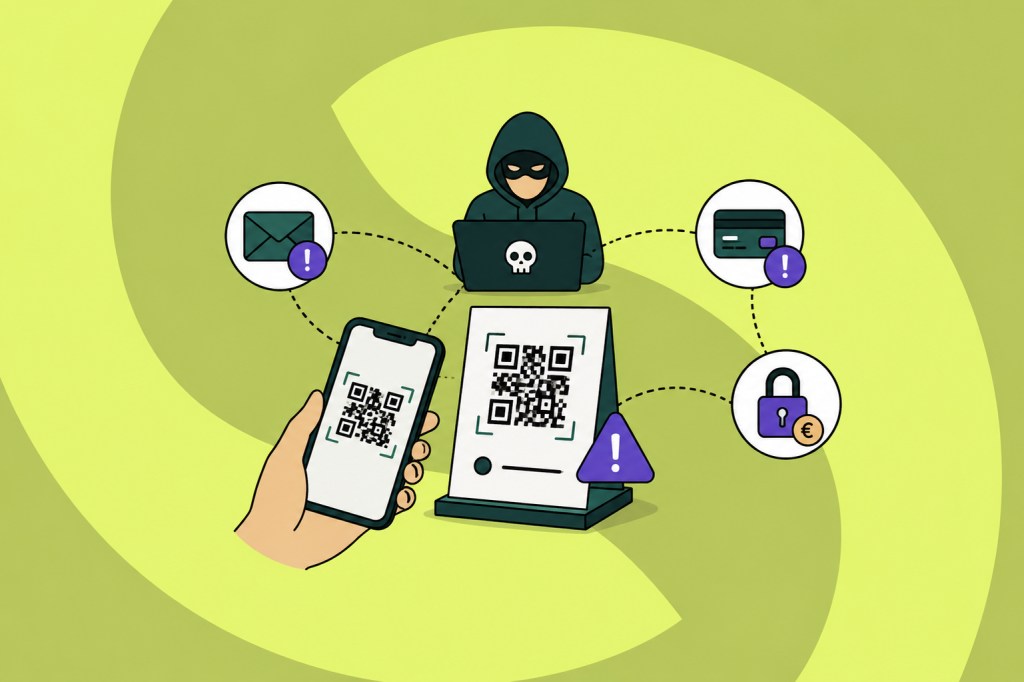
Quishing is phishing via QR codes. Instead of a suspicious link in an email, the attacker hides a malicious website behind a QR code, on a poster, a parking meter or in an email attachment. Anyone who scans the code lands on a fake page that harvests login credentials or payment details, or that installs malware.
The trick works because a QR code hides the destination. Where you might still hover over a link in an email, a QR code gives you no clue about where you will end up. In this article we explain how a quishing attack works, why this form of phishing is on the rise and how you protect your organization.
Quishing meaning: what does the term stand for?
Quishing is a contraction of “QR” and “phishing”. The goal is the same as with any phishing attack: tricking someone into handing over credentials, approving a payment or downloading malware. Only the delivery method differs. The attacker does not use a clickable link but a QR code that leads to the malicious page.
That switch is more than a gimmick. Since the pandemic we scan QR codes without thinking, for menus, payments, parking and logging in. Attackers exploit exactly that learned reflex: scanning feels routine, not risky.
How does quishing work?
A typical quishing attack follows four steps:
- The attacker creates a QR code that points to a fake website, often an imitation of a login page for Microsoft 365, a bank or a payment provider.
- The code is distributed via email, a letter, a flyer, or as a sticker pasted over a legitimate QR code in a public place.
- The victim scans the code with a phone. This is the crucial move: the attack shifts from a managed work laptop, with filters and security software, to a private smartphone that is often far less protected.
- The fake page does its work. The victim logs in on the imitation page, and the attacker captures the credentials, sometimes including the MFA session.
In corporate environments the most common variant is an email that appears to come from IT or from Microsoft: your MFA settings supposedly expire and you need to scan the code to re-authenticate. The email itself contains no clickable link at all, which is exactly what makes it look harmless.
Why QR code phishing is so effective
Quishing solves two problems that attackers have with classic phishing emails.
First: email filters read text and check links, but a QR code is an image. The malicious URL is invisible, not only to the recipient but also to a large share of security tooling. Messages that would be blocked instantly with a normal link sail through with a QR code.
Second: the scan moves the victim to their phone. On a small screen the address bar is harder to check, the URL is often partially hidden, and company protections such as web filtering are frequently absent on personal devices. The attacker lures the victim out of the protected environment, precisely at the moment the attack begins.
Quishing in practice: a fake QR code can be anywhere
The strength of this form of fraud is that a fraudulent QR code can sit anywhere a normal one can: on a machine, in your mailbox, in your inbox or on the wall at the office. These scenarios have all actually happened:
- The fake QR code on the parking meter. In November 2024 Dutch police and the ANWB warned about stickers with fake QR codes on parking meters, among others in Amsterdam, Maastricht and Sittard-Geleen. The code led to an imitation of a well-known parking app; the “parking fee” and card details went straight to the criminals.
- The letter from “the bank”. Fraudsters send letters on convincing bank letterhead: your debit card supposedly needs replacing and you scan the QR code to arrange it. Veilig Bankieren warns about this form of fraud, precisely because a paper letter feels more trustworthy than an email.
- The MFA email at work. “Your authenticator expires today, scan this code to keep access.” Urgency plus a familiar process makes this the most successful office variant.
- The fake invoice or signing request. A document that looks like it comes from DocuSign or a supplier, with a QR code to “view” or “sign” the invoice.
- The poster or flyer at the office. An announcement about a staff party or a new parking policy, with a QR code nobody questions.
Curious who in your organization would scan without thinking?
Set up a realistic phishing simulation in minutes and see how your team responds.
Try Guardey free for 14 daysQuishing, phishing, smishing and vishing: what is the difference?
All four are forms of social engineering; the difference is the channel. Classic phishing runs via email with a link or attachment. Smishing uses text and messaging apps, vishing happens by phone, and quishing uses QR codes as the way in. In practice attackers combine channels: a quishing email at work, followed by a call from the “helpdesk” asking whether the login worked.
Want the full overview of these variants and other attack methods? Read our article on the most common types of phishing attacks.
How to protect your organization against quishing
Make behavior the first line of defense. Precisely because technology has a hard time seeing QR codes, recognition by employees matters more than with regular phishing. Security awareness training teaches your team the reflex that matters here: treat an unexpected QR code exactly like an unexpected link. Do not scan it, or check the URL preview after scanning before you tap through.
Test with realistic simulations. A phishing simulation shows who falls for what, and turns a wrong click into a learning moment instead of an incident. Recurring tests keep attention up and show whether behavior actually improves.
Close the technical gaps. Choose phishing-resistant MFA where possible, protect mobile devices that access company data, and make reporting easy: an employee who reports a suspicious QR email within a minute protects all colleagues who received the same message.
Frequently asked questions
What happens if you scan a phishing QR code?
Scanning by itself usually does no harm. The risk sits in what follows: the page the code opens. As long as you do not log in, enter data or download anything, the damage is typically limited. Did you enter credentials? Change your password immediately and alert your IT department.
How do you recognize a fake QR code?
Look at the context before you scan: a sticker pasted over another code, a payment request where you would not expect one, or an email that insists on scanning with your phone are all red flags. After scanning, always check the URL your camera shows before you open the page.
Does a spam filter stop quishing emails?
Often not. Most filters check links and text, and a QR code is an image without a readable link. Some security vendors now scan QR codes in emails, but detection lags behind classic phishing. That is exactly why alert employees are the most important measure.
Quishing is not a new kind of deception, but a new wrapper around an old trick: getting someone to a fake page and letting them do the work themselves. Teams that recognize the pattern do not stop at links in emails, they also pause at that innocent-looking little square.
Want to make your team resilient against every form of phishing?
In a 45-minute demo we'll show you how Guardey combines gamified Security Awareness Training with phishing simulations, so quishing, smishing and vishing get recognized too.
Schedule a personal demo