3 September 2026 • Phishing
Smishing is phishing by text message. Instead of an email, the attacker sends an SMS or a message through a chat app, hoping you will tap a link, hand over a login or approve a payment. The name is a contraction of SMS and phishing, and apart from the channel the trick is exactly the same: someone pretends to be a party you trust and counts on you acting before you think.
The channel is what makes it dangerous. A text message arrives on the device you check dozens of times a day, usually while you are doing something else. Below we look at why the phone is such fertile ground, how to recognize a smishing attempt, what to do when you have already tapped the link, and how organizations get their people ready for it.
Why a text message is such effective bait
Email has had thirty years of defenses built around it. Spam filters, link scanners, banners warning you that a message came from outside the organization: by the time a phishing mail reaches an inbox, it has passed several checkpoints. A text message passes almost none of them, and it lands in the same thread as your dentist and your delivery driver.
There is a psychological side too. Screens are small, so the sender is a number and the link is shortened beyond recognition. People read messages standing up, in a queue or between two meetings, and they answer fast because that is what texting is for. Attackers lean on that same speed with a voice call variant known as vishing, and increasingly they combine the two: a text that announces a call, or a call that asks you to check your messages.
Finally, the phone is where the valuable codes live. A one-time code for a login, a banking confirmation, an approval push: if an attacker can get you to read one of those aloud or type it into a fake page, the second factor that was supposed to protect you becomes the way in.
How to recognize a smishing message
Most smishing follows a small number of patterns. Once you have seen them, they are hard to miss, which is exactly why teaching people the patterns works better than teaching them individual scams.
- Unexpected urgency. A package cannot be delivered, an account will be closed, a fine expires today. The message wants you moving before you can check anything.
- A link that does not match the sender. Real organizations use their own domain. Shortened links, lookalike domains with an extra word, or an address ending in an unfamiliar country code are all reasons to stop.
- A request for something no company asks by text. Login details, a full card number, or the one-time code you just received. A bank will never ask you to pass that on, and neither will your IT department.
- A small payment to release something bigger. A few euros of customs charges for a parcel, a tiny fee to reschedule a delivery. The amount is small on purpose, because it feels harmless enough to just get it over with.
- A number instead of a name, or a name that is slightly off. Messages from a random mobile number claiming to be a company, or a familiar brand name with an odd spelling or spacing.
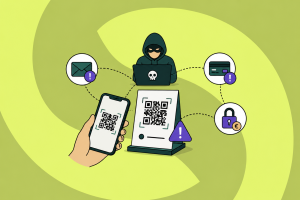
- A QR code in the message or the linked page. This overlaps with quishing, where the malicious destination hides inside the code so that no filter can read it.
- A new colleague or manager in a hurry. The classic is a message claiming to be from a director on a new number, asking for gift cards, a quick transfer or a favor that must stay quiet.
A useful rule for teams: the request itself is the signal, not the sender. Any message asking for credentials, codes or payments deserves a check through a channel you chose yourself, even when the sender looks right. More variants of this pattern are collected in our overview of types of phishing attacks.
Would your team spot a smishing message on a busy Monday?
Guardey trains colleagues in weekly challenges of about three minutes, with realistic scenarios on the device where these messages arrive.
Discover security awareness trainingWhat to do if you already clicked
Tapping a link is not the end of the world, and treating it that way is exactly what keeps people quiet. What matters is what happens in the next few minutes.
- Do not enter anything else. If a page asks for a login, a code or card details, close it. A link on its own is far less damaging than a form you completed.
- Change the password if you did enter one. Do it from a device you trust, and change it anywhere else you reused it. That reuse is usually the real problem.
- Check your second factor. If you approved a login request or passed on a one-time code, someone may be inside an account right now. Sign out of all sessions and check for new devices or forwarding rules.
- Report it internally, immediately. Your IT or security team can block the domain, warn colleagues who got the same message and check whether anything moved. Reporting fast is the single most valuable thing an employee can do.
- Keep the message. A screenshot with the sender and the link helps enormously in figuring out how wide the campaign is. Delete it only after it has been passed on.
Note what is missing from that list: blame. Organizations where a mistaken tap leads to an awkward conversation are organizations where the next person stays silent, and silence is what turns one click into an incident.
How organizations reduce the risk
Technical measures help, but they cover less ground than with email. Mobile carriers filter some of the worst campaigns, and MFA that uses a hardware key or an app prompt tied to the site removes a lot of the value of a stolen code. Beyond that, most of the defense is human.
The practical approach is to make recognizing and reporting a habit rather than a policy. Short, recurring exercises work better here than a single annual session, because the scams change every few months. Running a phishing simulation shows you where you actually stand instead of where you assume you stand, and it gives people a safe place to be wrong. Agree on one clear reporting route, make it a single tap, and thank the people who use it, including the ones who turn out to have forwarded something harmless.
How Guardey helps your team recognize smishing
Guardey’s security awareness training puts weekly challenges of about three minutes in front of your colleagues, with content that follows the threats actually circulating. Smishing, fake delivery notices and codes requested over chat are exactly the kind of scenario that shows up in those challenges, and gamification with leaderboards and streaks keeps people coming back after the first week.
Because employees train in the mobile app for iOS and Android, they practice on the same device where these messages arrive, which makes the lesson concrete. Integrated phishing simulations show whether recognition turns into behavior, and audit-ready reporting turns all of it into evidence for frameworks such as NIS2 and ISO 27001. Setup takes minutes, and more than 500 organizations work this way, including the European Parliament.
Frequently asked questions about smishing
What is the difference between phishing, smishing and vishing?
The goal is identical and only the channel differs. Phishing arrives by email, smishing by text or chat message, and vishing by phone call. Attackers often combine them in one campaign, because a message that is confirmed by a phone call feels more credible than either on its own.
Can you get hacked just by opening a text message?
Opening a message is almost never enough on its own. The risk starts when you tap the link and then enter something on the page that follows, or when you install an app it offers you. That is why the advice is to stop at the link rather than to panic about having read the message.
Should employees report a smishing message on their private phone?
Yes, if it relates to work in any way: a message claiming to be a colleague, a supplier or the IT department belongs in the report queue regardless of which device it landed on. Make clear that reporting is about the message, not about inspecting anyone’s private phone, or people will hesitate.
Does MFA protect against smishing?
It helps, but not all forms are equal. A code sent by text can be phished just as easily as a password, since the attacker only has to ask for it. Methods bound to the legitimate site, such as a hardware key or an app-based prompt, are considerably harder to abuse this way.
Smishing works because it catches people in motion, which means the defense is not a smarter filter but a moment of hesitation at the right time. Teams that practice that pause, and that make reporting easy and blameless, turn the phone from the weakest channel into one where a strange message gets flagged within minutes.
Curious how your team handles a realistic smishing scenario?
Try Guardey for 14 days and let your colleagues do the first challenge this week, phishing simulations included.
Try Guardey free for 14 days